2024.01.22
【マイページで出来ることのご案内】
当院の診察券は、BIANCA公式LINEで発行しております。
ご来院いただいた際に、
診察券の発行手続きを行いますので、
ぜひご利用ください。
診察券にある、
マイページログイン方法についてのご案内です。
▼表示別にそれぞれ操作方法を記載しています。
【1】マイページログイン方法🌿 LINEより
【2】ホームページ🌿 スマートフォンより
【3】ホームページ🌿 PCより
▼マイページでは、下記の操作が行えます。
■予約トップ
┗ご予約をお取りいただけます。
■予約一覧
┗ご予約の確認、WEB経由での
ご予約の変更とキャンセルが可能です。
ーご予約変更・キャンセルの注意事項ー
※WEBからのご予約変更・キャンセルは、ご予約日の2日前まで可能です。前日・当日のご変更・キャンセルは、直接クリニックへお電話にてご連絡をお願いいたします。
※⚠️お電話または店頭でお取りいただいたご予約を変更される場合は、一度WEB予約ページから現在のご予約をキャンセルのうえ、改めてご希望の日時でご予約をお取りください。
■ コース一覧
┗ ご契約中のコースを一覧でご確認いただけます。
■ 書類一覧
┗ 契約書・お見積書・同意書などの
各種書類をご確認いただけます。
■ 友達紹介
┗ ご友人紹介に必要な紹介コードを
ご確認いただけます。
■ 診察券
┗ ご来院の際は、こちらの画面を
受付スタッフへご提示ください。
【1】マイページログイン方法🌿 LINEより
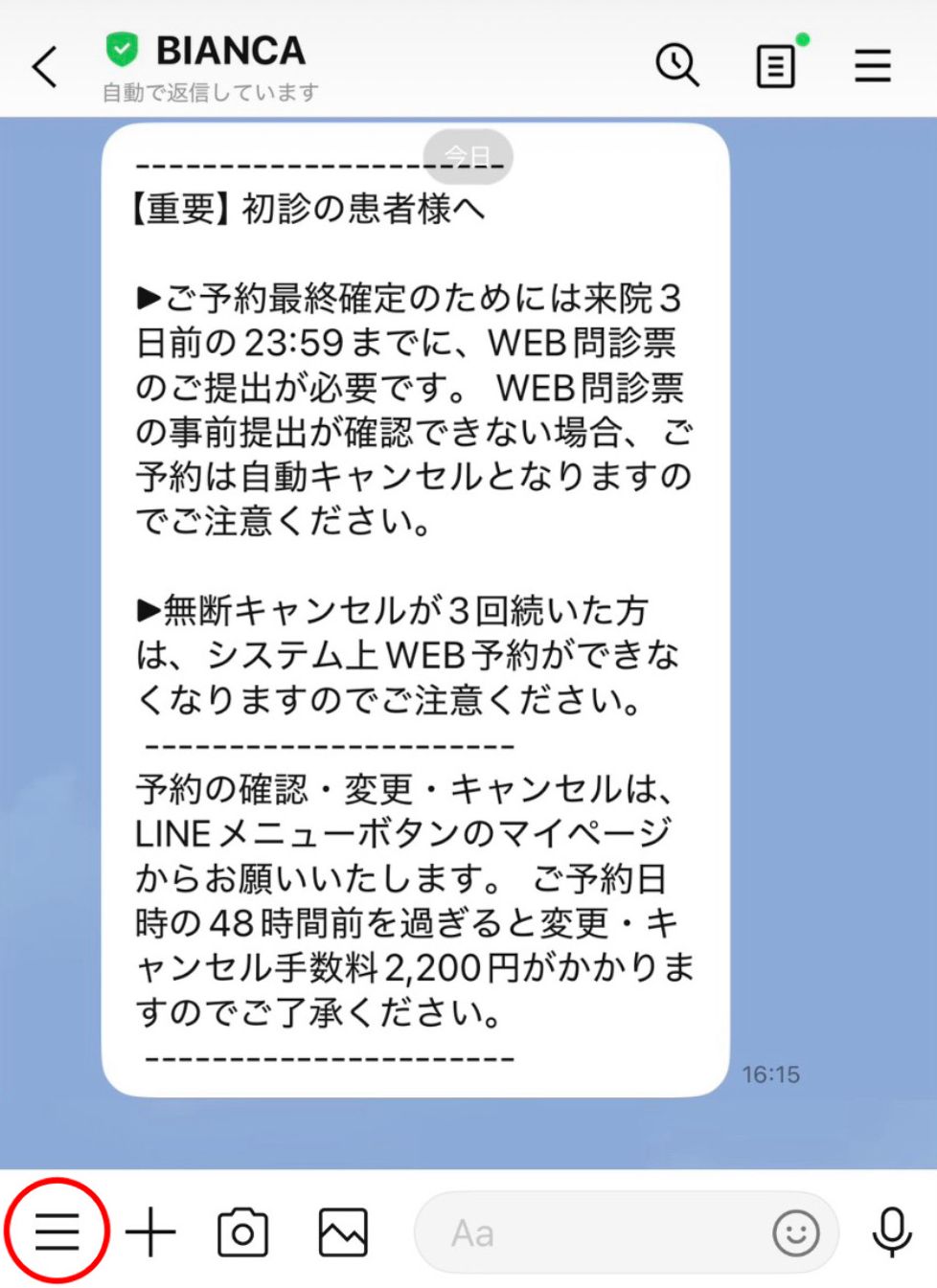
❶LINEトーク画面下記
左下にある三本線をクリックすると、
”各メニューはこちらから”が表示されます。
↓
下記にある”各メニューはこちらから”をタップ
↓

↑上記をクリックすると、LINE画面の下に
メニューバーが表示されます。
❷診察券をクリック↓

❸左上にある、三本線をクリック↓
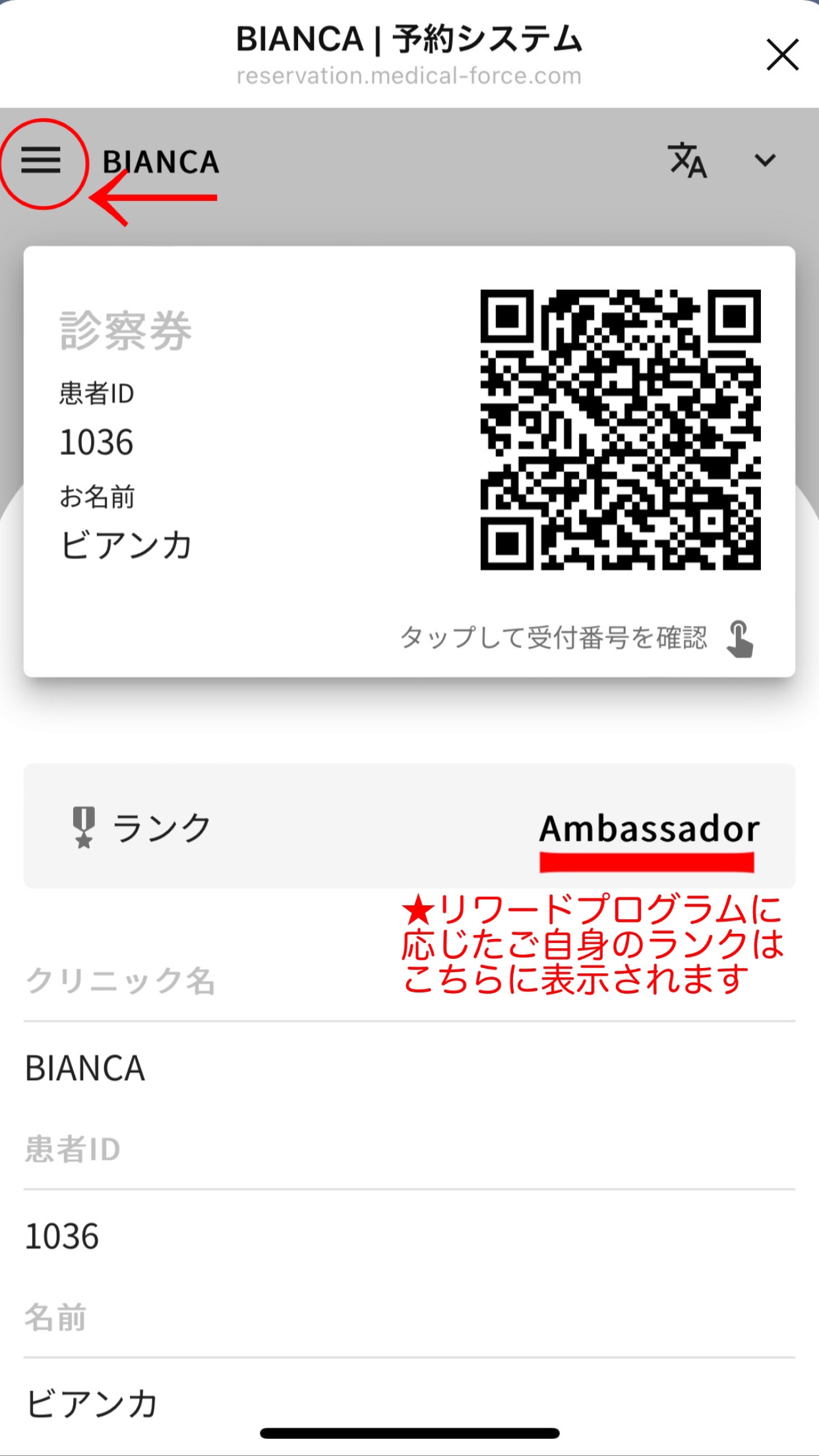
※リワードプログラムについては【こちら】
❹ご希望のメニューが選べます↓

【2】ホームページ🌿 スマートフォンより
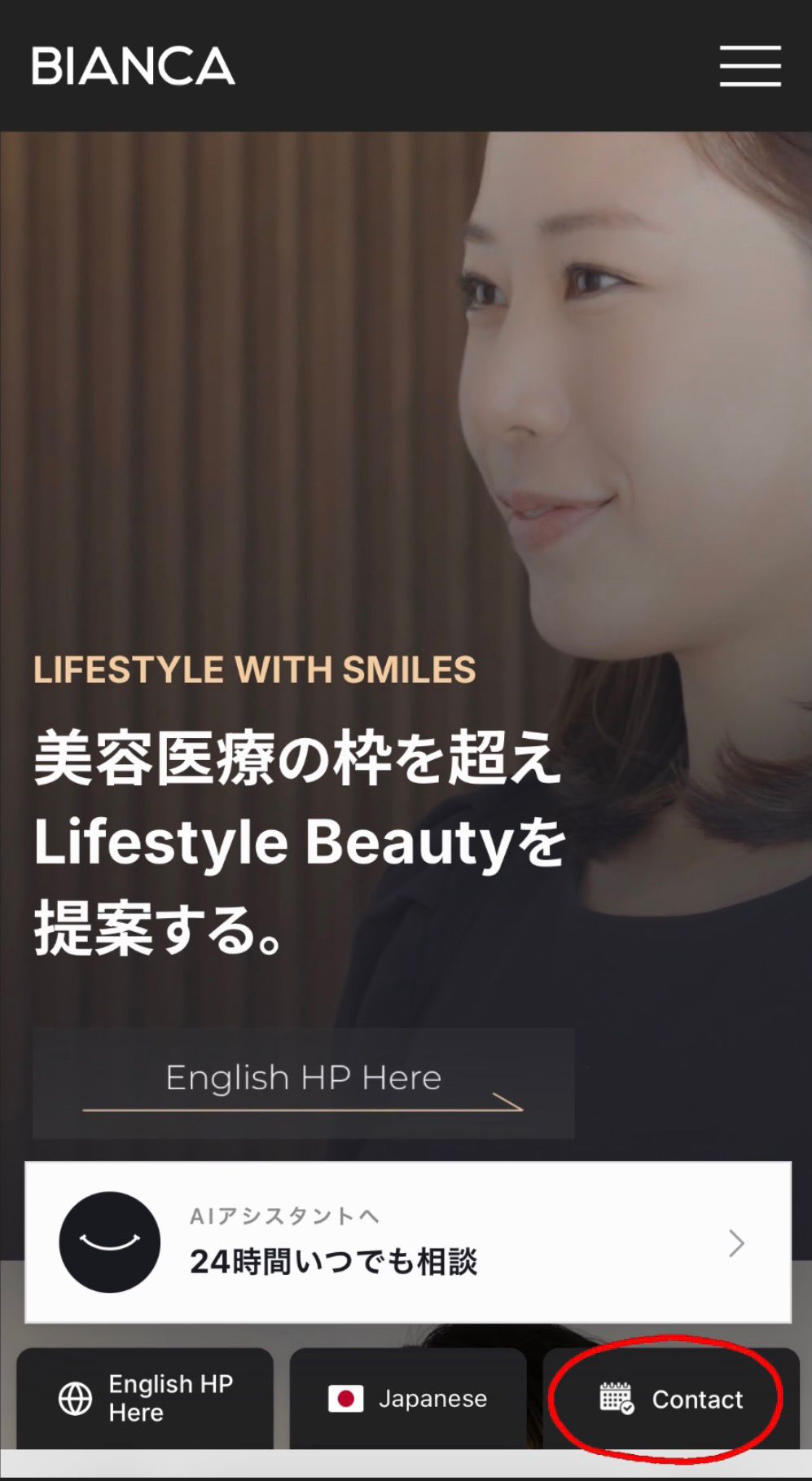
❶HPトップにある
ご予約の”Contact”ボタンをクリック↓
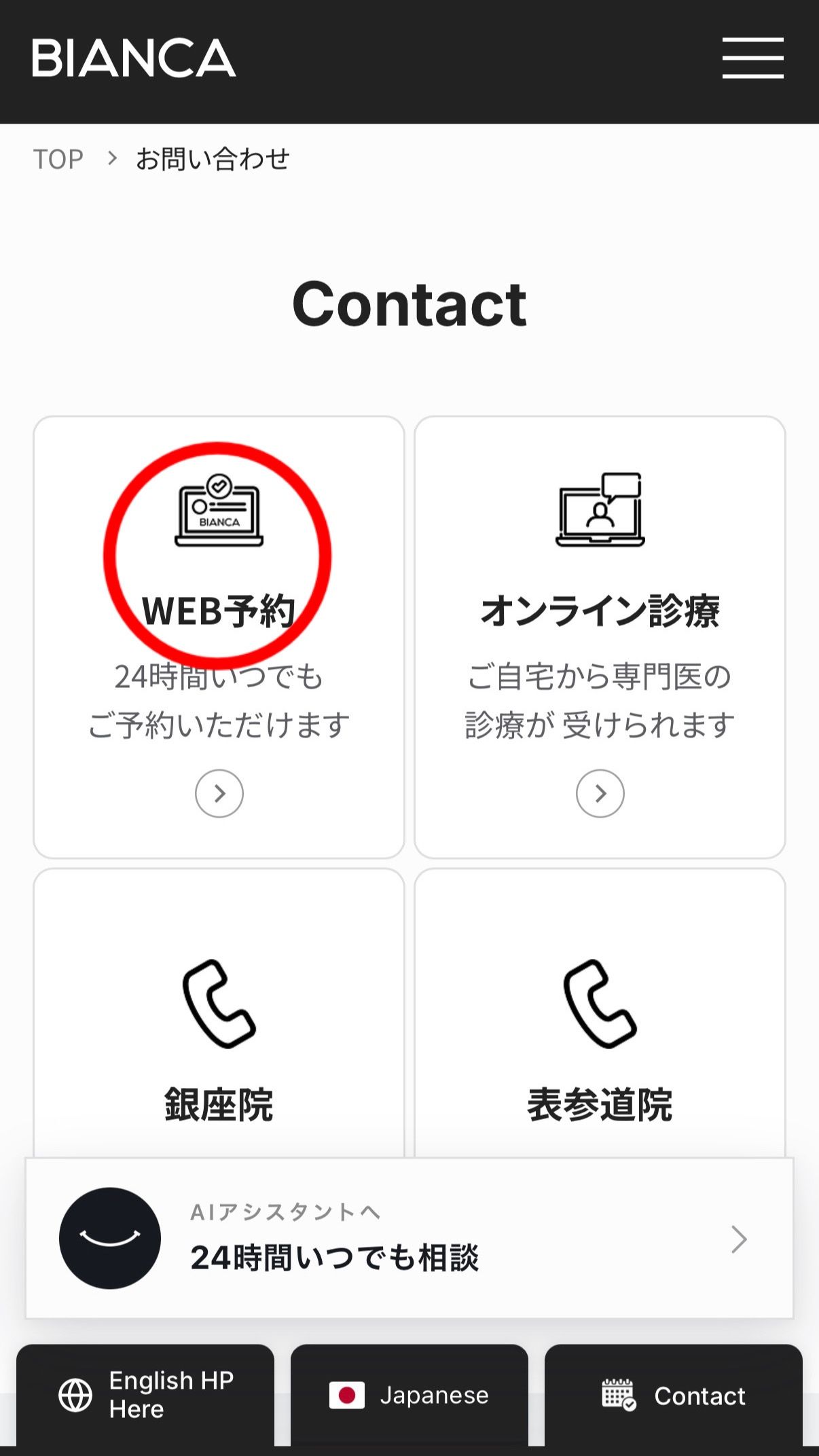
❷WEB予約
24時間受付をクリック↓
❸左上三本線をクリック↓

❹予約時に登録した
メールアドレスとパスワードを
入力しログイン↓

❺ログイン後に患者様の
ご情報がご確認いただけます↓

【3】ホームページ🌿 PCより
❶HPトップから下にスクロールすると、
右側に3つ、アイコンが出てきます。
“Contact”カレンダーをクリック↓
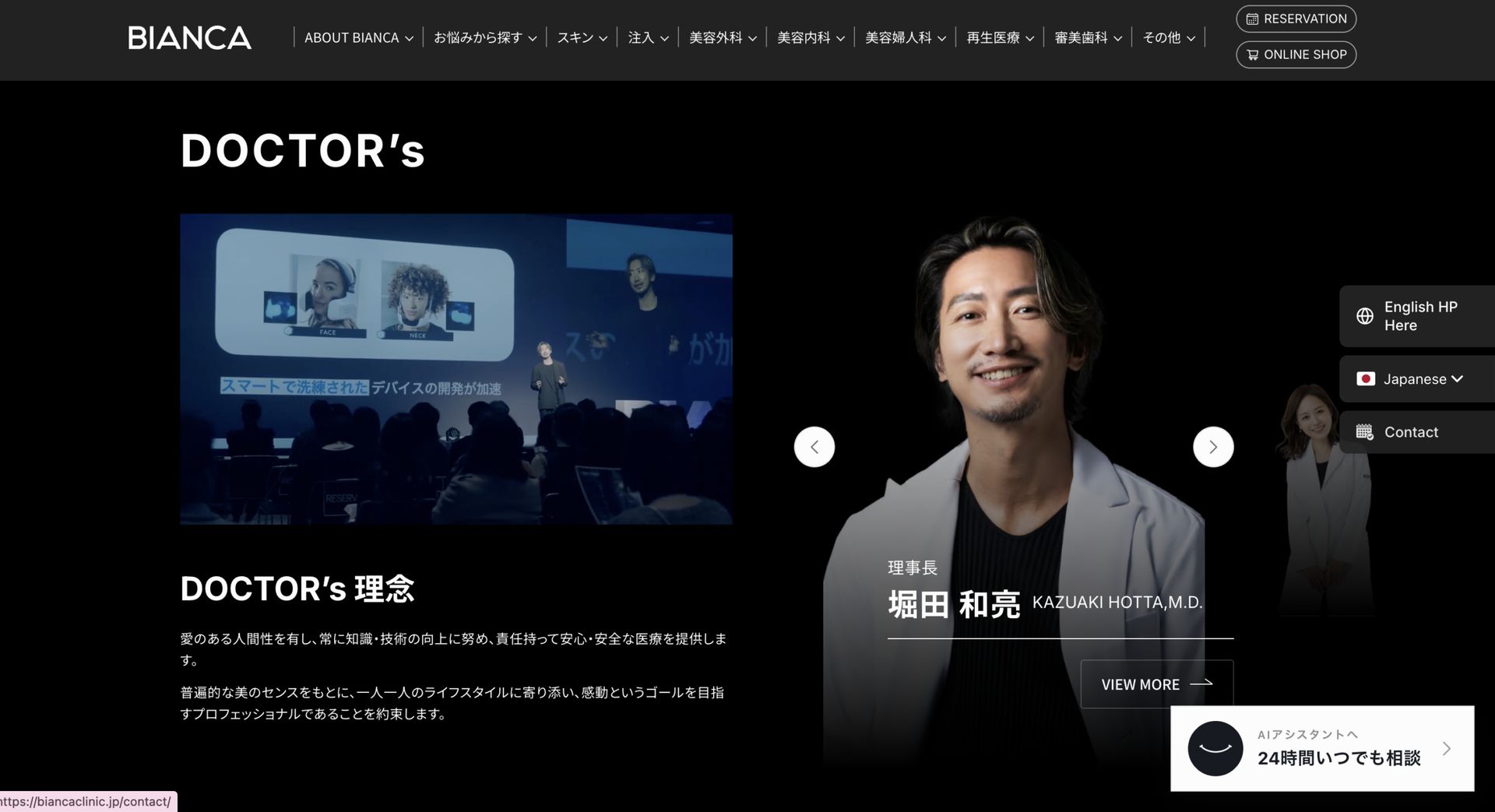
❷WEB予約
中央にある一番左の
”WEB予約”24時間受付をクリック↓
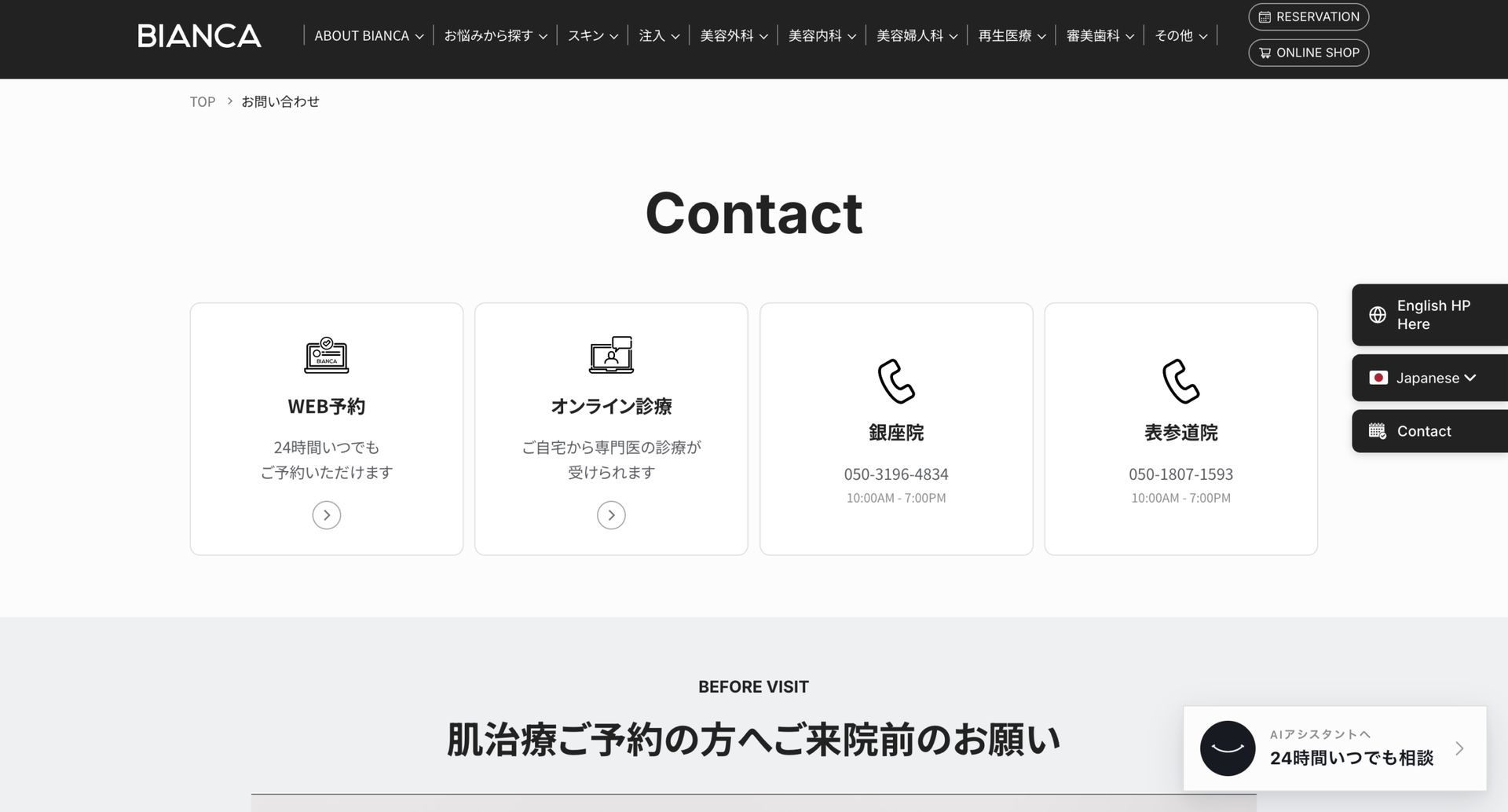
❸左上三本線をクリック↓

❹一番下のログインをクリック↓

❺予約時に登録したメールアドレスと
パスワードを入力しログイン

❻ログイン後に患者様のご情報が
ご確認いただけるようになります。
ご不明な点がございましたら
お気軽にお問合わせください✨
ビアンカ公式Instagramはこちら↓
⚠️ご予約について(必ずお読みください)
●外科治療:まずはカウンセリングからのご案内となります。ご契約後にお手術のご予約をお取りすることができます。
●注入治療:当日施術までお受けいただけます。
●肌治療:当日施術までご希望の方は、お電話📞または、WEBは(一部メニュー)のみ、受付可です。
※WEB予約フォームにある”肌のご相談と施術まで希望”の項目をご選択のうえ、ご予約をお願いいたします。
※他院で1ヶ月以内に美容皮膚科治療・注入治療・外科治療を受けられた方は、お問合わせください。
※⚠️WEB予約経由でのご予約は
マイページより変更・キャンセルが可能です。
お電話はこちら↓
📞銀座院 050-3196-4834
📞表参道院 050-1807-1593