2024.01.22
【What You Can Do on Your My Page】
【Register for our official LINE account here】
Our clinic cards are issued via the official BIANCA LINE account.
When you visit our clinic,
We will now process your patient registration card, so
Please feel free to use it.
On the patient registration card,
Here is some information on how to log in to My Page.
▼Instructions for each display type are provided below.
1]How to Log In to My Page 🌿 Via LINE
[2]Homepage 🌿 From a smartphone
[3]Homepage 🌿 From a PC
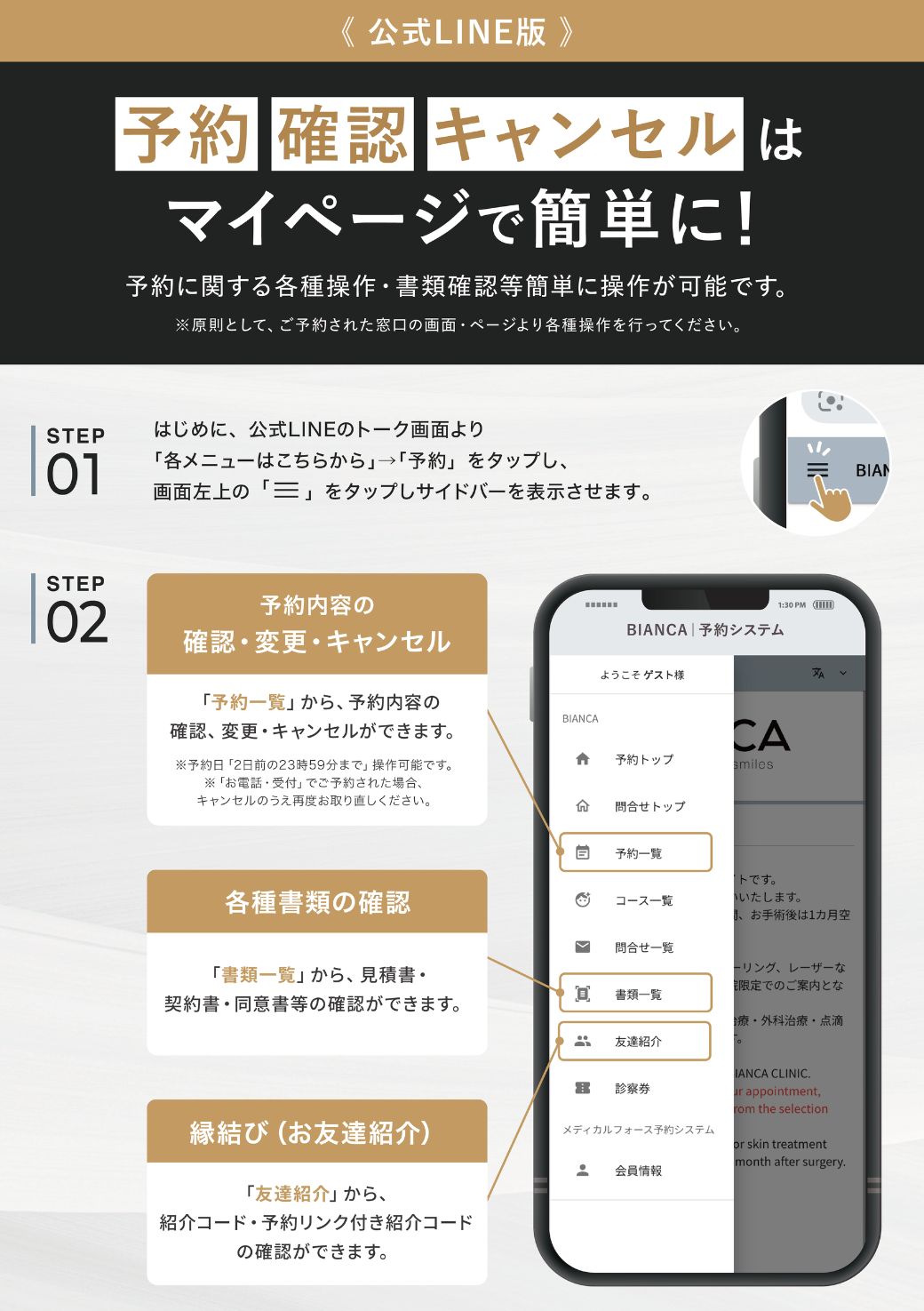
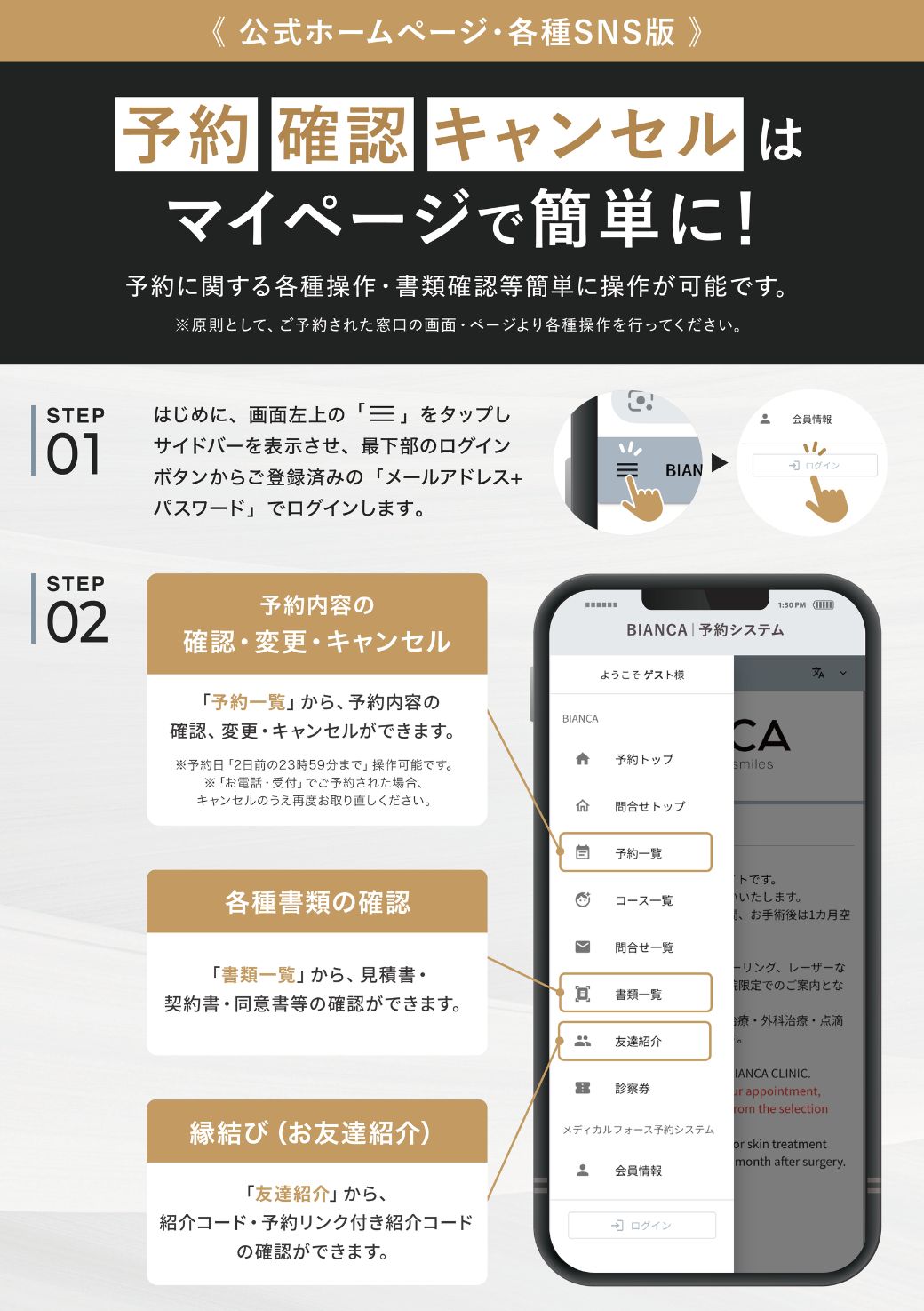
▼You can perform the following actions on My Page.
■Reservation Top
┗You can make a reservation.
■Reservation List
┗Confirm your reservation, via the web
You can change or cancel your reservation.
—Important Notes on Reservation Changes and Cancellations—
*To change or cancel a reservation made online,On the date of your reservationUp until two days agoIt is possible.Changes or cancellations made the day before or on the day of the event are,Please contact the clinic directly by phone.
*⚠️*Placed by phone or in-storeIf you need to change your reservation,First, please cancel your current reservation on the online booking page, and then,Please make a new reservation for your preferred date and time.
■ Course List
┗ You can view a list of the courses you are currently enrolled in.
■ List of Documents
┗ Contracts, quotes, consent forms, etc.
You can review various documents here.
■ Refer a Friend
┗ The referral code required to refer a friend
Please check this.
■ Patient Registration Card
┗ When you visit our clinic, please show this screen
Please show this to the reception staff.
[1] How to Log In to My Page 🌿 Via LINE
━━━━━━▼Click here for detailed instructions━━━━━━
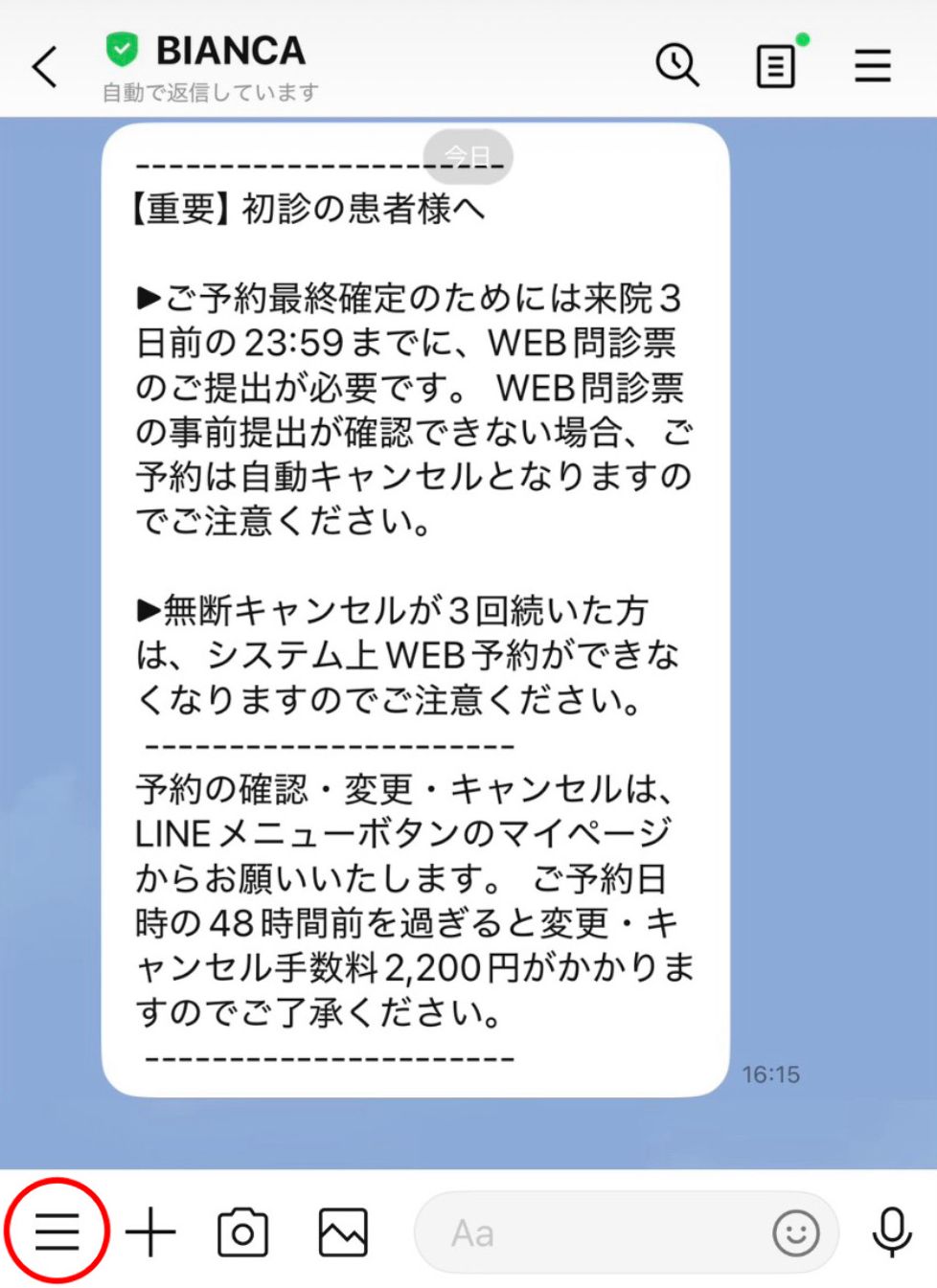
❶LINE chat screen below
If you click the three horizontal lines in the lower-left corner,
”Click here for each menu” will be displayed.
↓
Tap ”Click here for each menu” below
↓

↑ Click the link above, and at the bottom of the LINE screen,
The menu bar will appear.
❷ Click the patient registration card ↓

❸ Click the three horizontal lines in the upper-left corner ↓
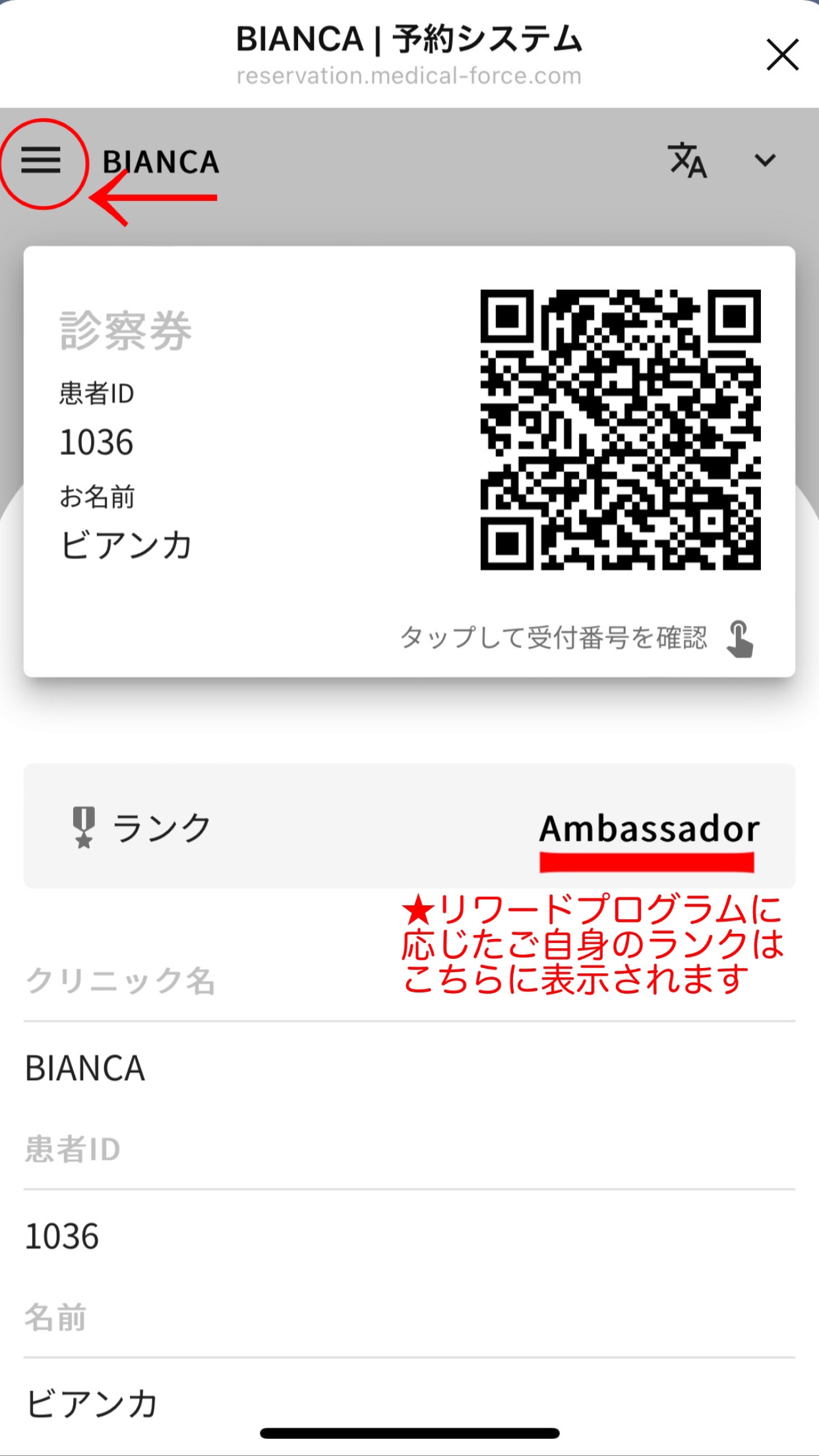
※Regarding the Rewards Program【Here】
❹Select your desired menu↓

[2] Website🌿 Smartphonemore
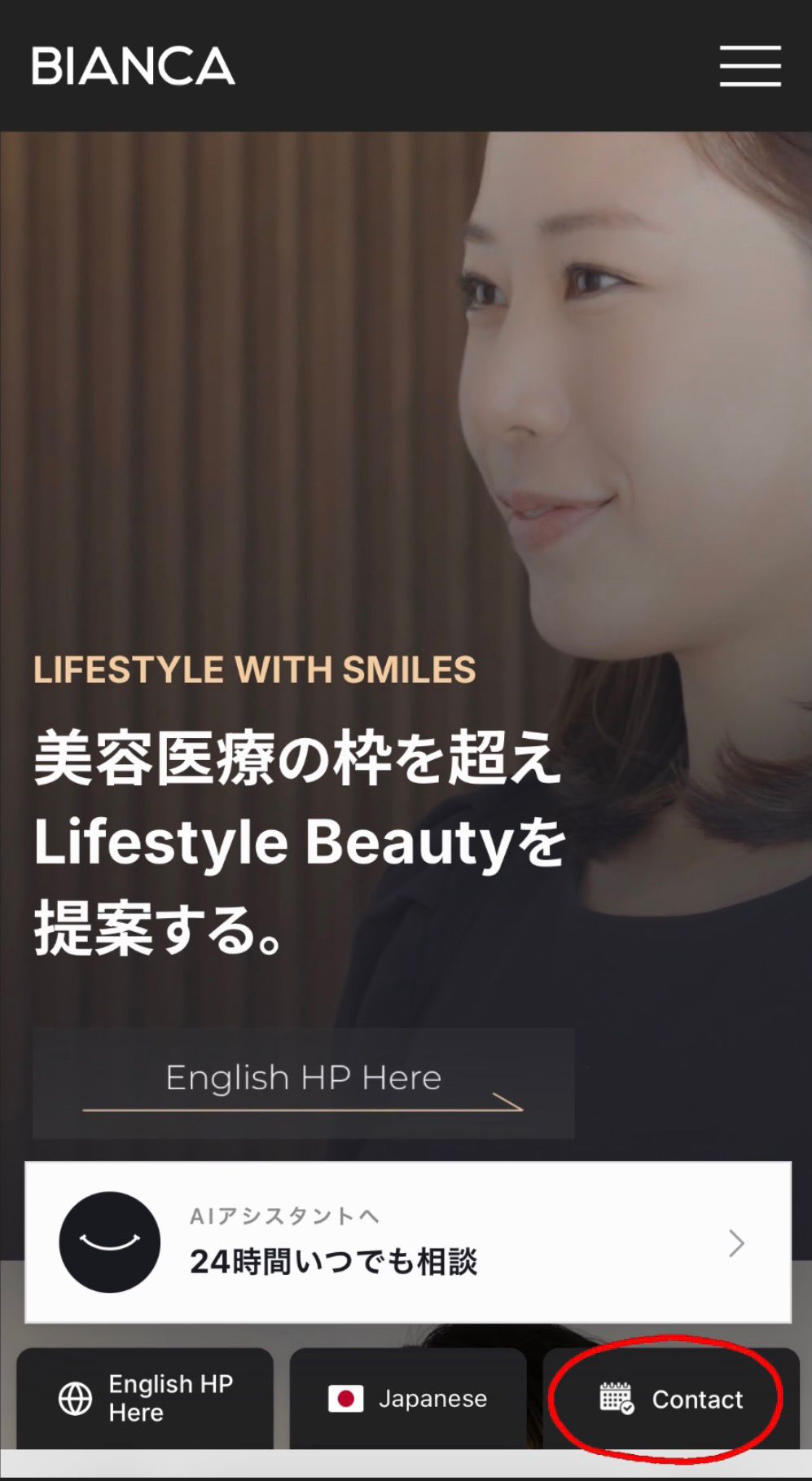
❶On the HP top page
Click the ”Contact” button below to make a reservation↓
❷Online Reservation
Click here for 24-hour reception↓
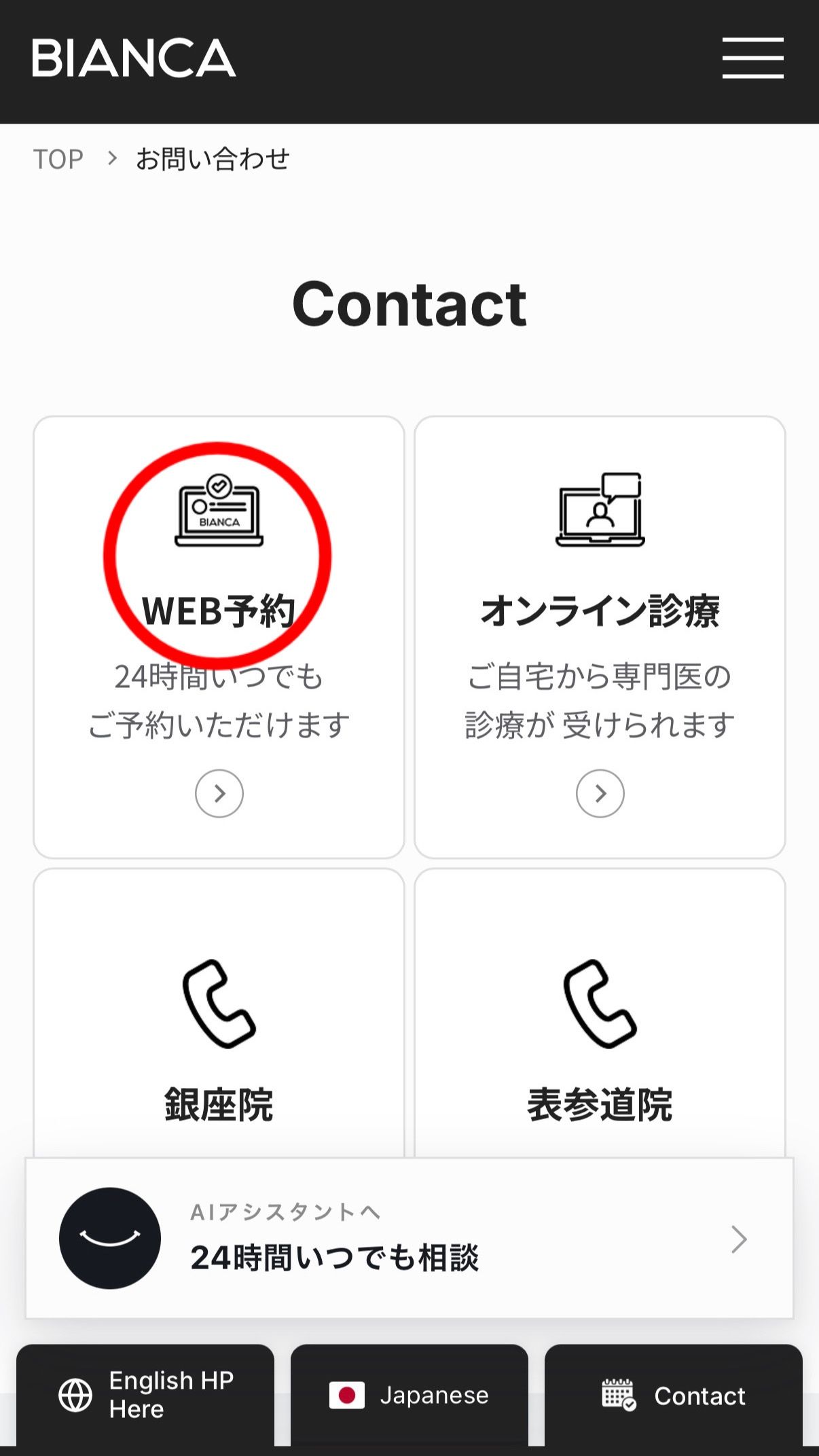
❸ Click the three horizontal lines in the upper-left corner ↓

❹ Registered at the time of reservation
Email address and password
Enter and log in↓

❺After logging in, the patient's
You can check the information below↓

[3] Website 🌿 From a PC
━━━━━━▼Click here for detailed instructions━━━━━━
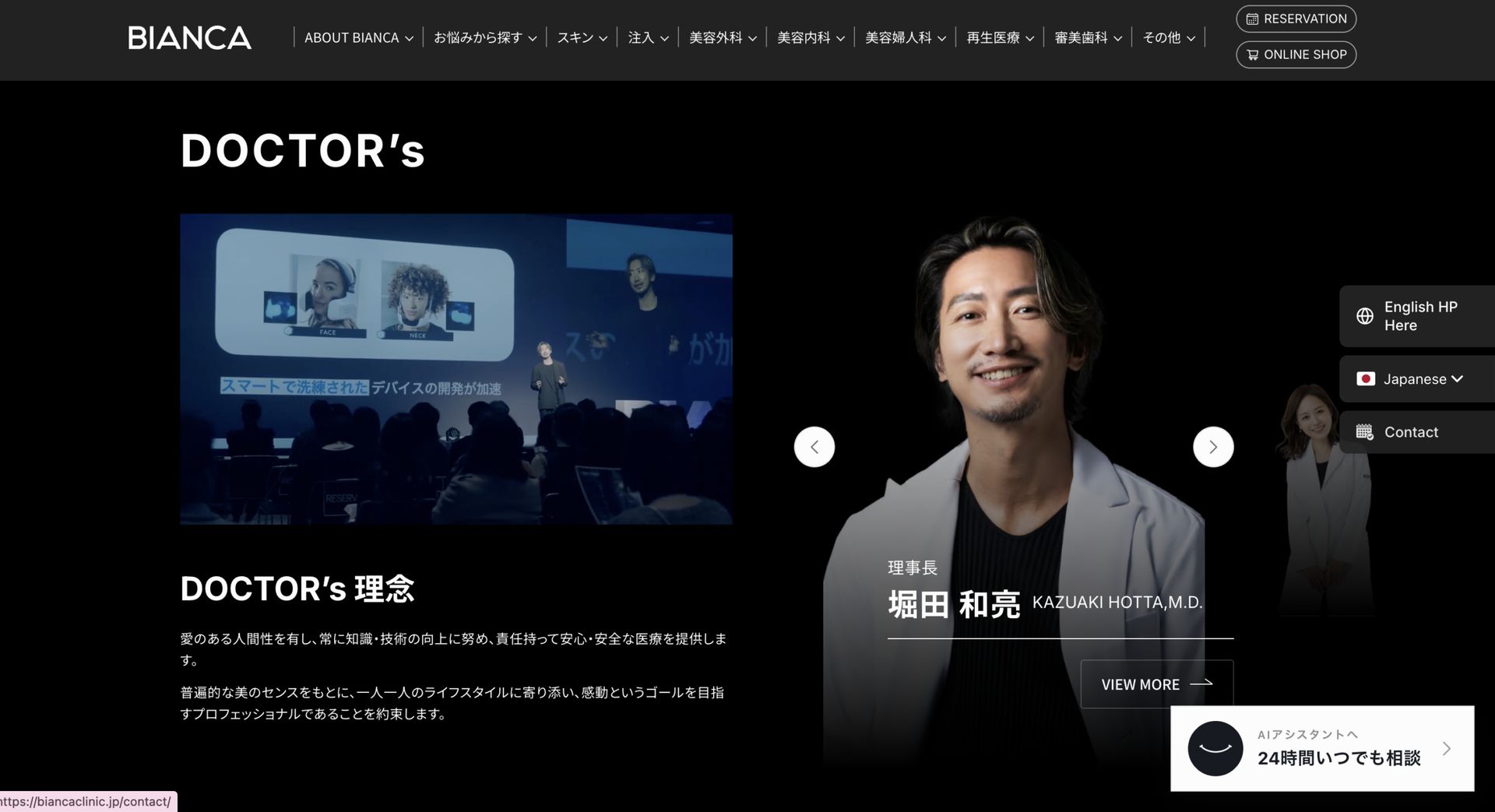
❶When you scroll down from the top of the homepage,
Three icons will appear on the right side.
“Contact” CalendarClick ↓
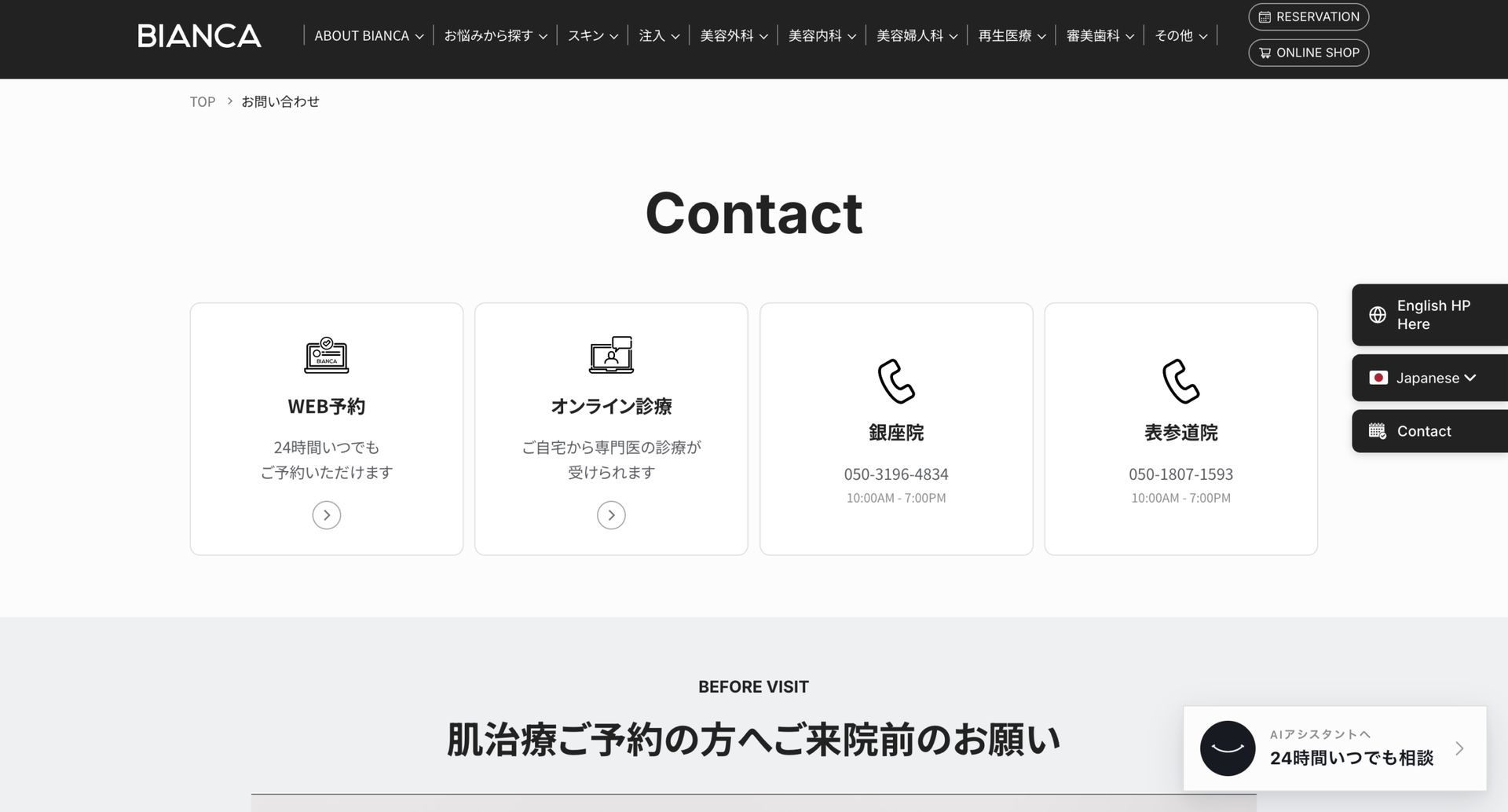
❷Online Reservation
The one on the far left in the center
”Click ”Online Reservation” (24-hour service) below ↓
❸ Click the three horizontal lines in the upper-left corner ↓

❹Click the bottom login button↓

❺ The email address you provided when making your reservation and
Enter your password to log in

❻After logging in, the patient's information...
You will be able to check it.
If you have any questions,
Please feel free to contact us! ✨
【Register for our official LINE account here】
Bianca's official Instagram is here↓
【See BIANCA's social media accounts here】
⚠️About Reservations(Please read carefully)
● Surgical treatment: The first step is a consultation. After signing the contract, you can make an appointment for surgery.
● Injection therapy: Can be accepted up to the same day of the treatment.
● Skin Treatments: If you’d like to schedule a treatment for the same day, please call us 📞 or book online (for select services only).
Please make a reservation by selecting the ”I would like to have a skin consultation and treatment” option on the web reservation form.
※If you have received cosmetic dermatology treatment, injection therapy, or surgical treatment at another clinic within the past month, please contact us.
*⚠️ Reservations made via the online booking system are
You can make changes or cancel your order from My Page.
Call us here↓
📞Ginza Clinic 050-3196-4834
📞 Omotesando Clinic 050-1807-1593